

When it comes to modern manufacturing, integrating your ERP system with a Manufacturing Execution System (MES) can make a significant difference in efficiency, visibility, and profitability. For businesses using Microsoft Dynamics 365 Business Central, selecting the right MES is a critical decision. With the growing number of MES solutions on the market, identifying the best MES for Dynamics 365 Business Central requires a clear understanding of your operational needs, technical requirements, and long-term goals.
In this article, we break down key considerations, evaluation criteria, and steps to help you make an informed decision while highlighting a real-world example of a successful implementation with MV2 MES.
What is an MES and Why It Matters for Business Central
A Manufacturing Execution System (MES) acts as the operational backbone of your production floor. While ERP systems like Business Central handle back-office functions such as finance, procurement, and order management, an MES provides real-time insights into production activities, resource utilization, quality management, and traceability.
The right MES can help you:
- Increase production visibility across multiple locations.
- Improve quality control and reduce defects.
- Optimize scheduling and resource allocation.
- Enable real-time decision-making using production data.
For companies already invested in Business Central, integrating an MES creates a seamless flow of data from the shop floor to the C-suite, eliminating redundant data entry and increasing operational efficiency.
Key Features to Look for in the Best MES for Dynamics 365 Business Central
When evaluating MES options, consider both functionality and integration capabilities. Here are the features that matter most:
1. Seamless Integration with Business Central
Your MES should connect directly with Business Central to ensure real-time synchronization of orders, inventory, and production data. Look for:
- Native connectors or pre-built APIs.
- Automated data exchange to reduce manual entry.
- Support for multi-site or multi-plant operations if your business scales.
At ISE, our MV2 MES is designed specifically for Business Central, providing direct integration that streamlines workflows from the ERP to the production floor. You can learn more about our integration capabilities here.
2. Real-Time Production Monitoring
The ability to track production in real time is essential. Key aspects include:
- Monitoring machine performance and downtime.
- Recording operator activities and work-in-progress status.
- Generating alerts for deviations from production plans.
Real-time monitoring ensures managers can act quickly to resolve issues, keeping production on schedule and reducing waste.
3. Quality Management
Quality issues can be costly if not detected early. A strong MES provides:
- In-line quality inspections and checklists.
- Automated recording of defects and corrective actions.
- Traceability for compliance with industry standards.
This ensures that products meet customer specifications and regulatory requirements, while maintaining visibility for audits.
4. Shop Floor Usability
The user experience for shop floor employees is critical for adoption. Consider MES solutions that offer:
- Intuitive interfaces for operators.
- Mobile or tablet support for on-floor use.
- Minimal training required for adoption.
Ease of use encourages adoption and reduces resistance from production staff, ensuring that your MES delivers real value from day one.
5. Analytics and Reporting
Advanced MES systems provide insights that support continuous improvement, including:
- Production KPIs and dashboards.
- Historical data for trend analysis.
- Predictive maintenance alerts and efficiency reports.
Integrated analytics allow managers to make data-driven decisions that improve overall equipment effectiveness (OEE) and reduce operational costs.
Considerations When Choosing an MES
Beyond features, there are several strategic considerations to help identify the best MES for Dynamics 365 Business Central.
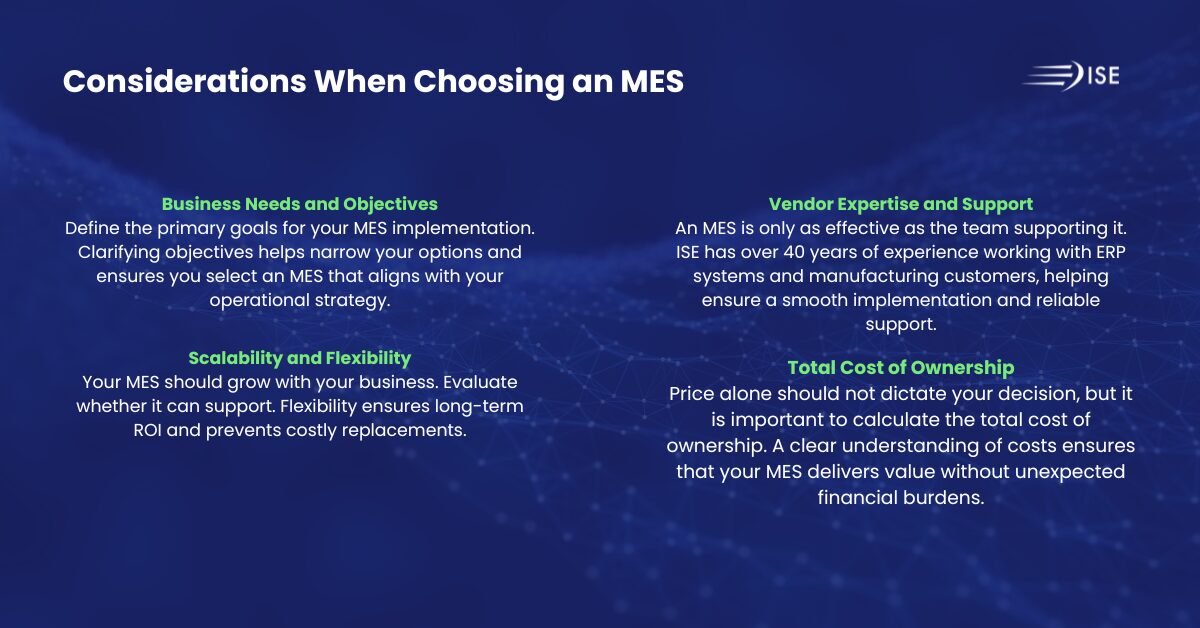
Business Needs and Objectives
Define the primary goals for your MES implementation:
- Improve production visibility
- Ensure regulatory compliance
- Strengthen quality management
Clarifying objectives helps narrow your options and ensures you select an MES that aligns with your operational strategy.
Scalability and Flexibility
Your MES should grow with your business. Evaluate whether it can support:
- Expanding production lines or multiple sites.
- Additional modules or features as your requirements evolve.
- Custom workflows that reflect your unique manufacturing processes.
Flexibility ensures long-term ROI and prevents costly replacements.
Vendor Expertise and Support
An MES is only as effective as the team supporting it. Consider:
- Vendor experience with Business Central integrations.
- Ongoing support and training resources.
- Proven success in your industry vertical.
ISE has over 40 years of experience working with ERP systems and manufacturing customers, helping ensure a smooth implementation and reliable support.
Total Cost of Ownership
Price alone should not dictate your decision, but it is important to calculate the total cost of ownership, including:
- Licensing fees.
- Implementation and integration costs.
- Training and ongoing support expenses.
A clear understanding of costs ensures that your MES delivers value without unexpected financial burdens.
Common MES Implementation Challenges
Implementing an MES can be complex. Being aware of potential challenges helps you avoid pitfalls:
- Resistance to Change: Employees may be hesitant to adopt new systems. Ensuring ease of use and proper training is crucial.
- Integration Issues: MES solutions not designed for Business Central may require custom development, increasing costs.
- Data Accuracy: Inaccurate or incomplete production data can undermine MES insights.
- Scope Creep: Expanding project scope mid-implementation can delay ROI.
By anticipating these challenges and working with experienced vendors, businesses can achieve a smooth deployment with measurable results.
Why MV2 MES is a Top Choice for Business Central
For organizations looking for the best MES for Dynamics 365 Business Central, MV2 MES stands out because it combines:
- Seamless integration with Business Central.
- User-focused design built for shop floor employees.
- Real-time monitoring and analytics for actionable insights.
- Scalable modules that grow with your business.
Real-World Example: TAPCO’s MV2 MES Implementation
When TAPCO, a leader in traffic and pedestrian safety solutions, decided to implement an MES, they wanted a game-changing solution for their shop floor that could support their hybrid production environment of engineer-to-order, make-to-order, and stock manufacturing. Before MV2, closing production orders in Business Central depended on a single technically trained person, causing inventory delays and material handling bottlenecks. TAPCO selected MV2 MES integrated with Business Central because it provided complete data access, pre-built dashboards, local support from ISE, and the flexibility to shape reporting for their unique workflows. Operators quickly adopted the intuitive interface, and within a week, MV2 was fully operational, empowering staff to post orders without technical training. Since going live, TAPCO has realized measurable improvements, including:
- Continuous inventory flow: operators post orders as they go, eliminating end-of-day backlog
- Improved material handling efficiency: teams maintain consistent workflow without surges
- Real-time performance visibility: dashboards show cell status instantly, enabling rapid issue resolution
- Root cause analysis for process issues: MV2 simplifies identifying staffing, equipment, or workflow bottlenecks
- Operator empowerment: simple interface reduces errors and increases productivity
Troy Eggers, Manufacturing Manager, notes, “BC is very technical for the average user. MV2 gives you a much simpler, better-looking interface, four buttons, and you’re done. If you want your team to use the system and see value, go with an add-on like MV2. It’s faster to learn, easier to use, and integrates perfectly with BC.”Watch ISE’s full customer conversation with Troy Eggers from TAPCO here.
Steps to Select the Right MES for Your Business
Here’s a practical roadmap to help guide your MES selection:
- Assess Current Processes: Map out your production workflow and identify pain points.
- Define Requirements: Determine must-have features and integration needs.
- Research Vendors: Look for MES solutions with proven Business Central integration.
- Request Demos and References: Evaluate usability, performance, and support.
- Evaluate Costs and ROI: Consider the total cost of ownership and long-term benefits.
- Plan Implementation: Include training, data migration, and change management.
Following these steps ensures a structured approach, reducing risk and increasing the likelihood of a successful MES deployment.
Selecting the best MES for Dynamics 365 Business Central is a strategic decision impacting operational efficiency, product quality, and overall business growth. By prioritizing integration, usability, real-time visibility, and vendor expertise, manufacturers can make informed decisions that drive measurable results.
For companies ready to modernize their production operations while leveraging Business Central, MV2 MES offers a comprehensive solution built for the shop floor. Learn more about how MV2 can transform your manufacturing processes by visiting iseteam.com or contacting our team for a live demo.